Every machine on one screen
The challenge
Welding output, quality and machine use are hard to track and manage across a large yard.
Our solution
WMMS links every machine, welder and job to one system, so managers can monitor the work, control quality and trace every weld.
What a yard gains from WMMS
Results reported by Aotai from its intelligent welding plant projects.
Higher production efficiency
Work orders and records move from paper to one digital process.
Higher process conformity
Remote process control keeps each welder within the approved range.
Higher equipment usage
Usage data shows which machines are idle, so they can be put to work.
Fewer welding quality problems
Welding strictly to the process reduces problems caused by weld flaws.
More accurate working-hours data
Welding time is recorded by the system, so reports are precise.
Lower production cost
Idle machines use less energy, and paperless work cuts waste.
Seven centres in one system
WMMS covers the welding job from planning to final record.
Welding production
Welding plans, work orders, weldment information, and welding and material records.
Quality control
Process compliance, alarms when a weld goes out of range, and inspection and flaw detection results.
Digital welding process
A standard digital process for each weld, with remote control and evaluation of the process.
Information monitoring
Equipment status, workpiece progress, weld maps, alarms and welder working hours.
Resource management
Records of workpieces, welders and their qualifications, equipment and welding materials.
Data display boards
Boards and reports for work orders, welder hours, welding costs, equipment running and KPIs.
System services
User accounts, access rights, organisation structure and basic data.
What the dashboard shows
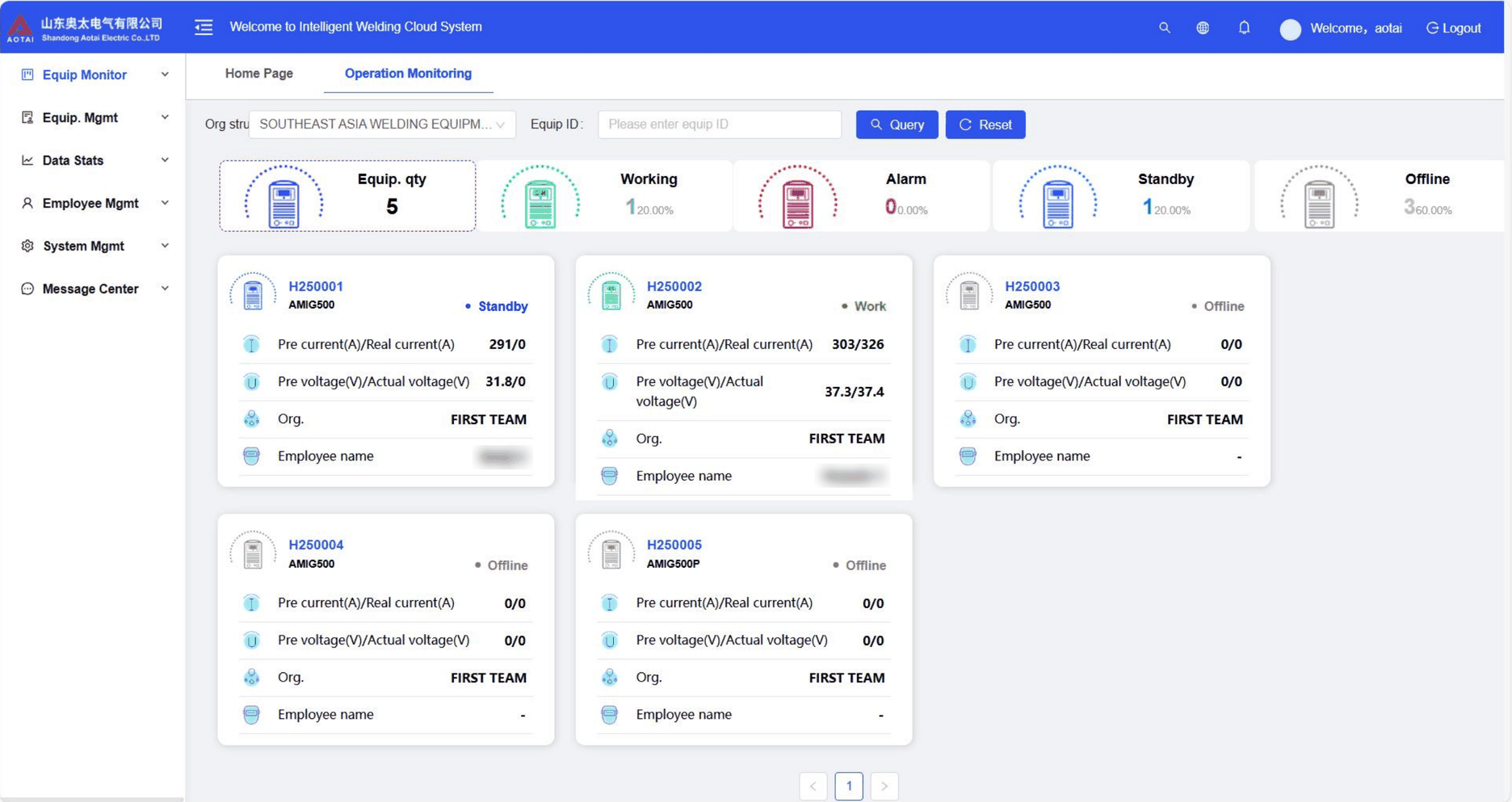
Live status
See each machine as working, standby, alarm or offline.
Set vs. actual output
Compare set and real current and voltage per machine.
Team and welder tracking
Know which team and welder is on each machine.
Whole-yard overview
One dashboard for every connected machine.
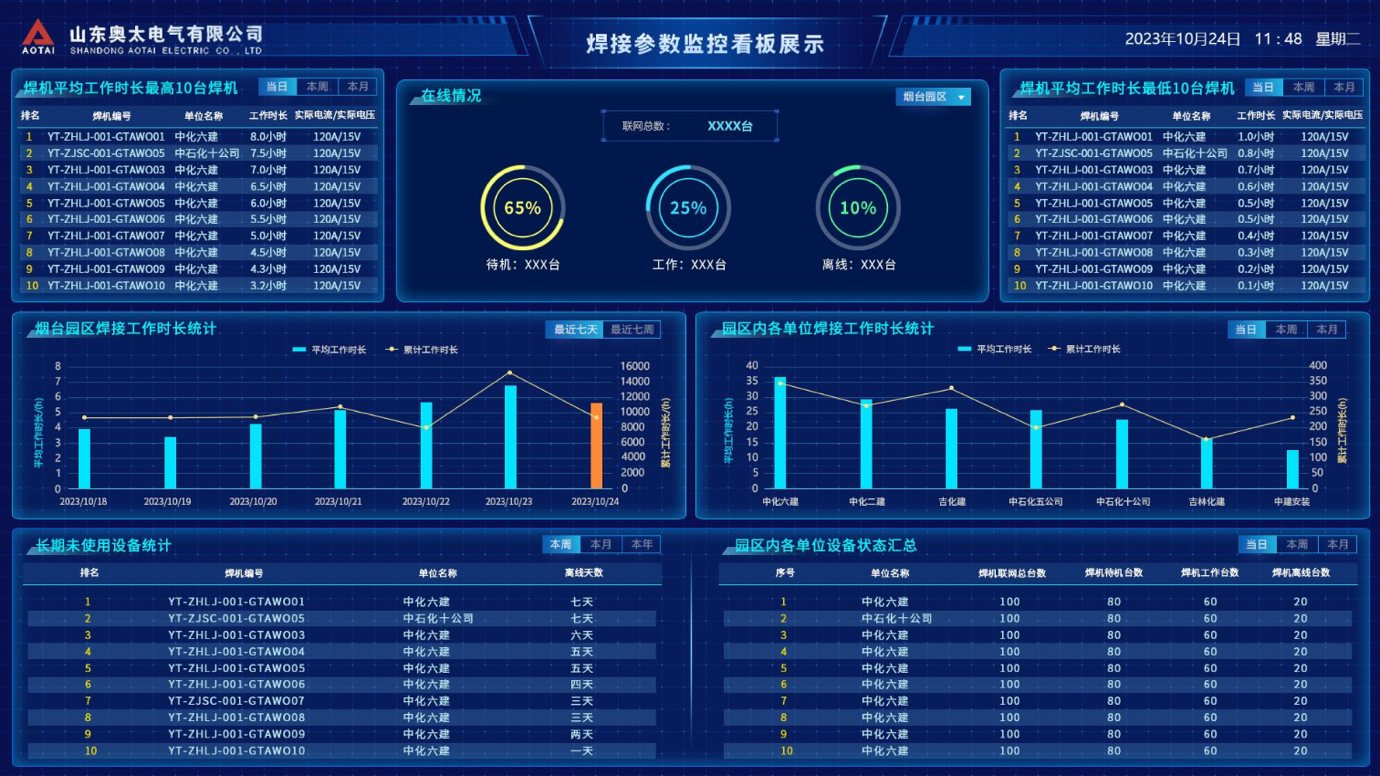
Display boards for the whole operation
Large-screen boards show how many machines are working, on standby or offline, the working hours of each machine, and equipment that has not been used for a long time.
From work order to weld record
WMMS can also manage the welding job itself, in six steps.
Set up the project
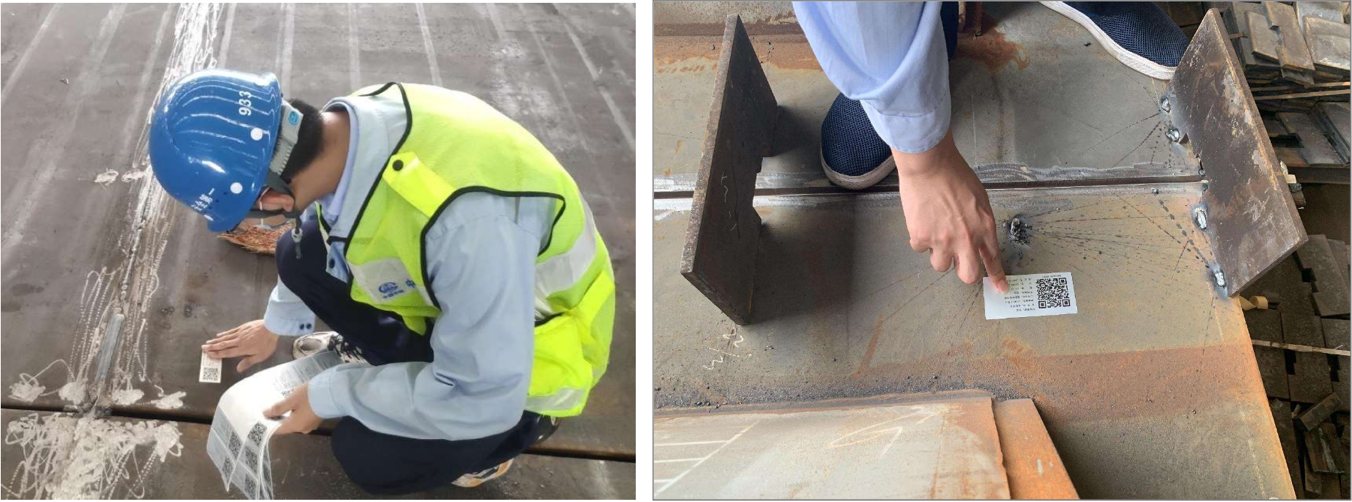
The system creates a QR code for each work section. The production head prints it and posts it on site.
Record the welding procedure
The QC head creates the weld map and files the welding procedure (WPS) for each weld.
Assign the work
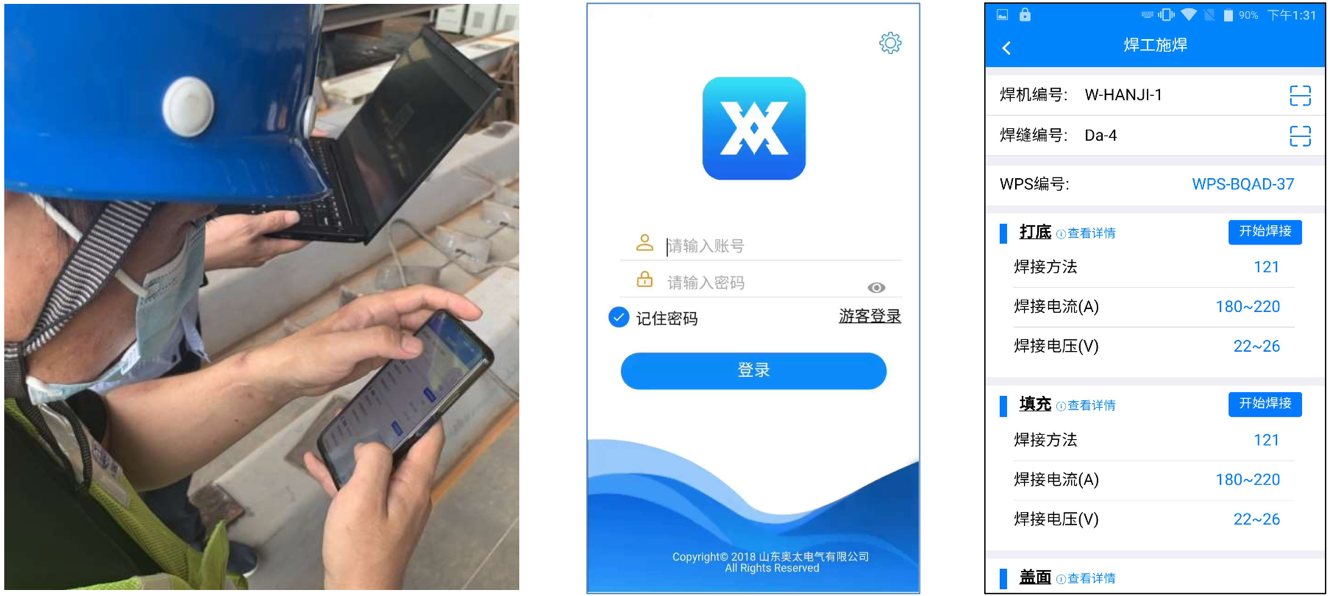
The team leader dispatches tasks to welders from the mobile app or a computer.
Weld
Welders take up and carry out the task on the mobile app or a workshop terminal.
Inspect
Inspectors log their results. A weld that does not pass goes back to the welder for repair.
Close and report
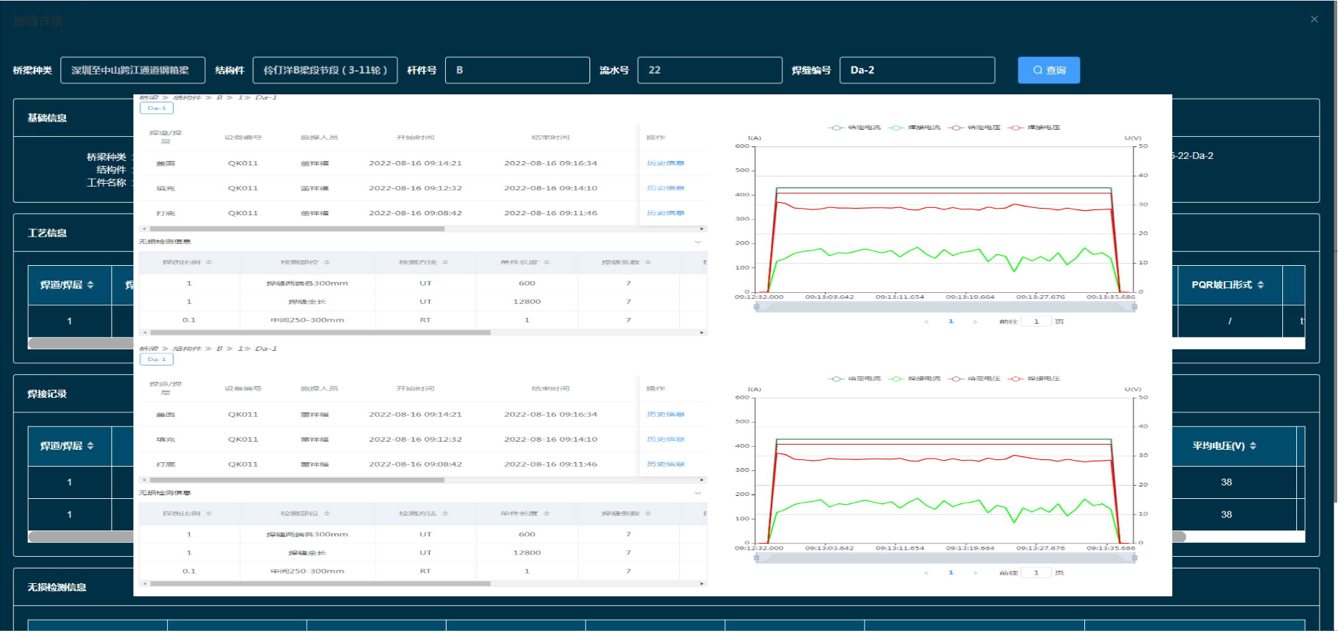
Each weld keeps its welding time, process conformity, and average current and voltage, ready to export to Excel.
Trace, control and report
Traceability
Look up any weld to see its process parameters, the welder, the time and the consumables used.
Equipment control
Start and stop machines remotely or on a timer, receive fault alarms in real time, and handle repair requests and maintenance reminders on the mobile app.
Report centre
Reports on equipment and welder working hours, consumables, faults, maintenance and cost, by day, month or year.
Interested in WMMS for your yard?
Tell us about your machines and we will come back to you.